
iPhone scam protection for aging parents
Close the doors scammers use on your parent's iPhone. In one afternoon.
Give your parent a safer iPhone—and a clear plan when a scammer calls. Follow real screenshots and short videos together, then put the printable safety cards, family code-word plan and checklists within reach. Less guesswork. A simple routine: stop, hang up and check.
Limited offer · Save 34%
One payment. No subscription.
Download once and keep the complete bundle for life.
✓ Includes 1 year of free updates
Secure checkout · Instant download · No account required
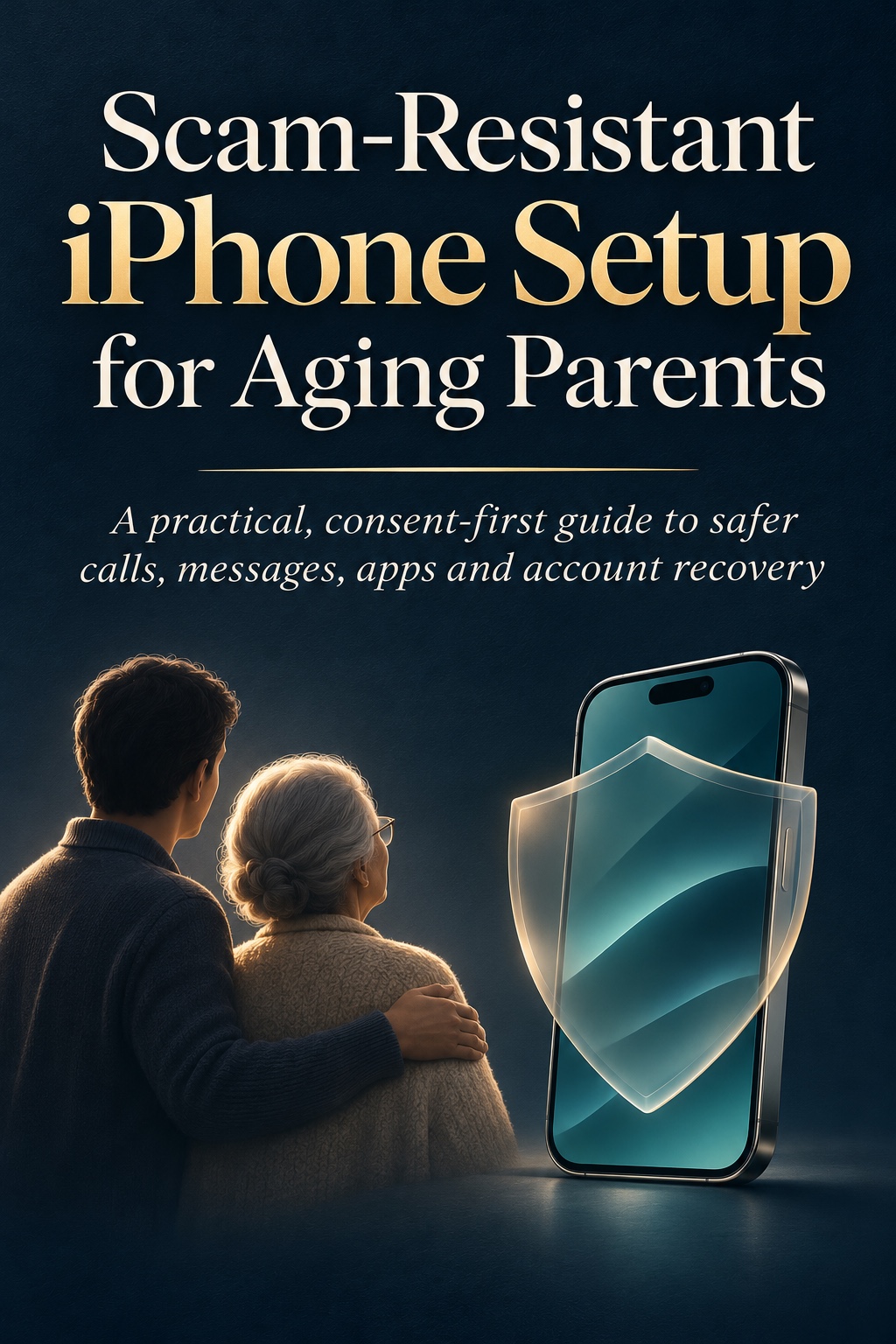
The complete bundle includes
- 51-page illustrated guide
- 7 walkthrough videos
- Consent checklist
- Family code-word plan
- Verification scripts
- First-hour incident checklist
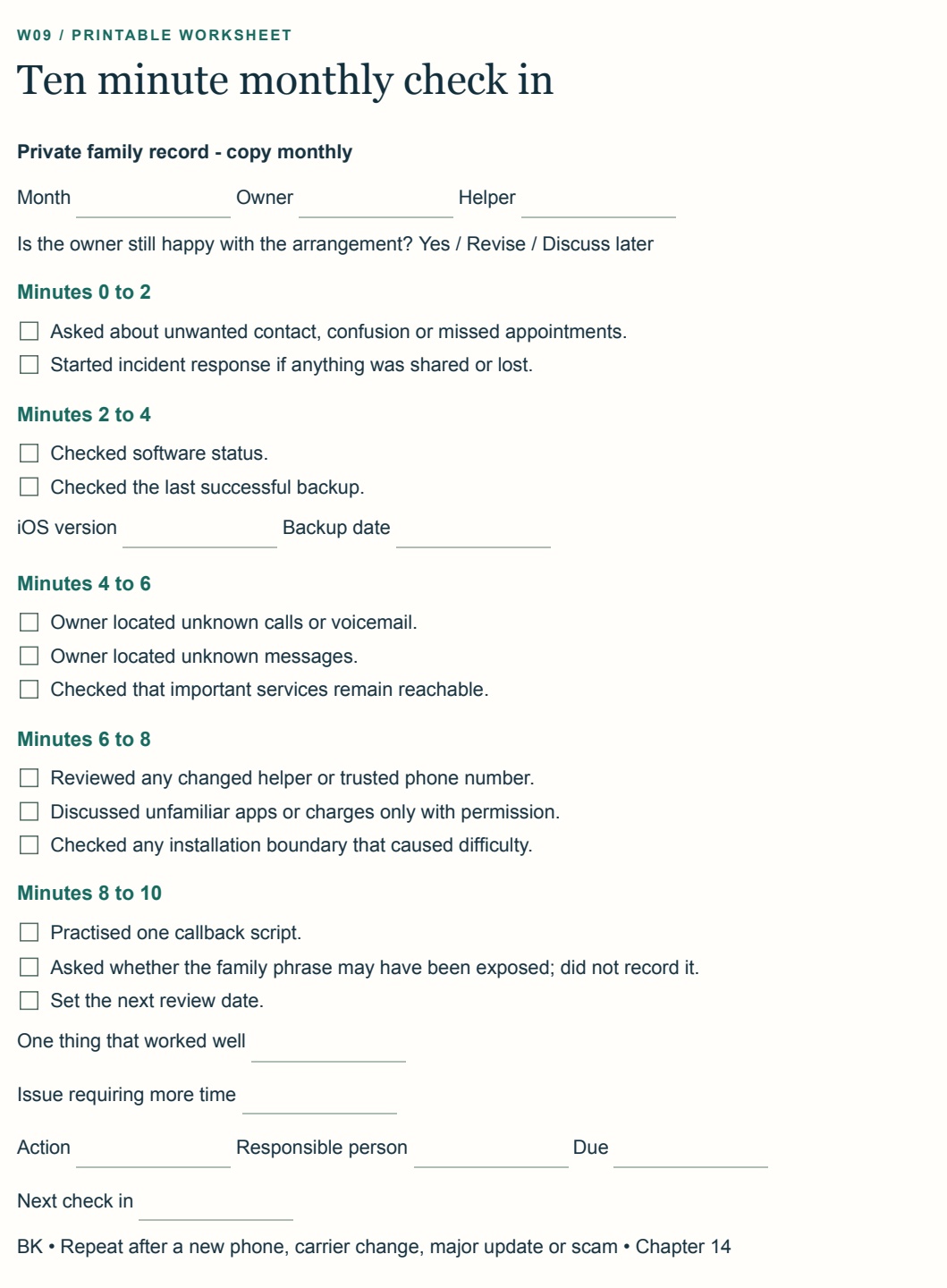
- Monthly 10-minute review
- Worksheets and phone safety cards
The problem
iPhone scam protection that goes beyond call blocking
A caller says they are from the bank. A text says a package is held. A voice sounds like a grandchild in trouble. The scammer's job is to make your parent act before they can think or check.
Some of that you can reduce with settings. The rest comes down to a shared plan, so that doubting a call feels normal, not embarrassing. This bundle gives you both.
How it works
Three parts. One afternoon.
-
1
Set up the phone
Manage unfamiliar callers and messages, add a recovery contact, review Find My, limit app installs and turn on browser warnings. Each step says where to start, what to tap and what you should see.
-
2
Agree a family routine
Choose a family code word, learn short scripts for suspicious calls and messages, and decide who your parent calls first when something feels off.
-
3
Know the first hour
If something does go wrong, a printable checklist tells you what to do in the first hour, and a monthly 10-minute check-in keeps the setup current.
See inside
Real screens, plain explanations
The bundle pairs real iPhone screens with plain-English guidance about what each choice does, when it helps and what it may block or make less convenient. Personal details have been removed.
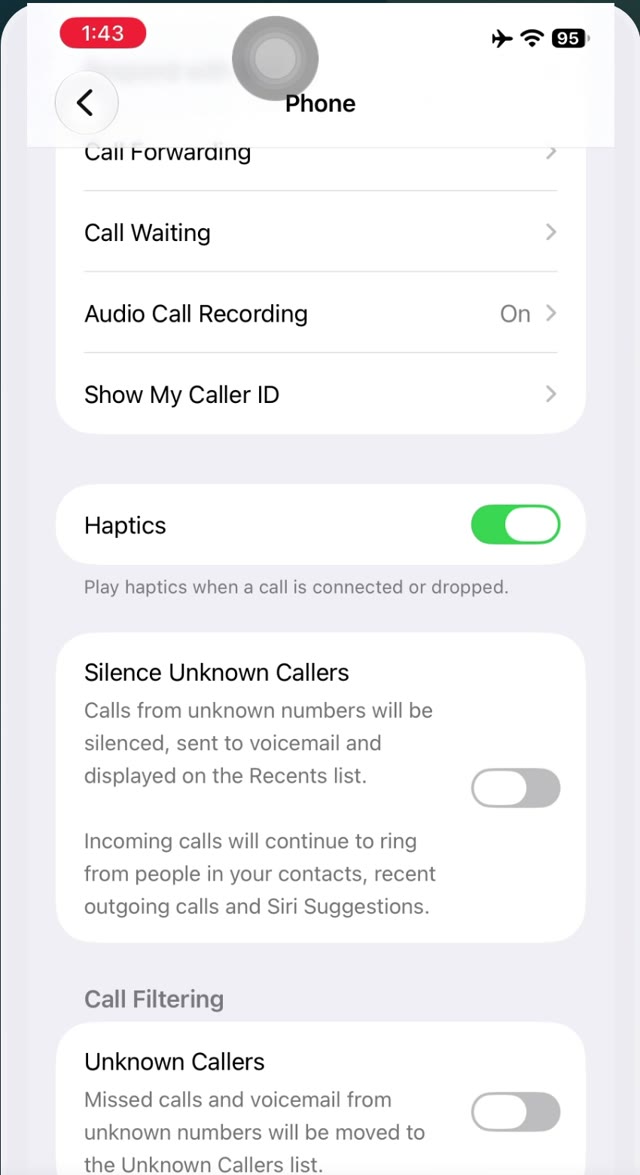
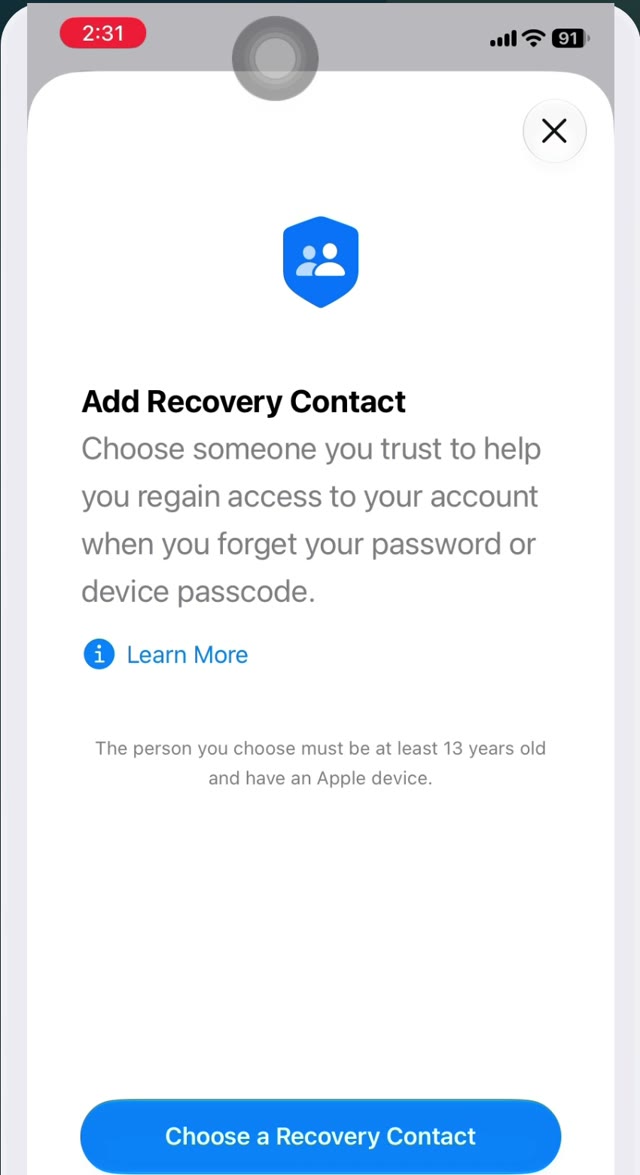
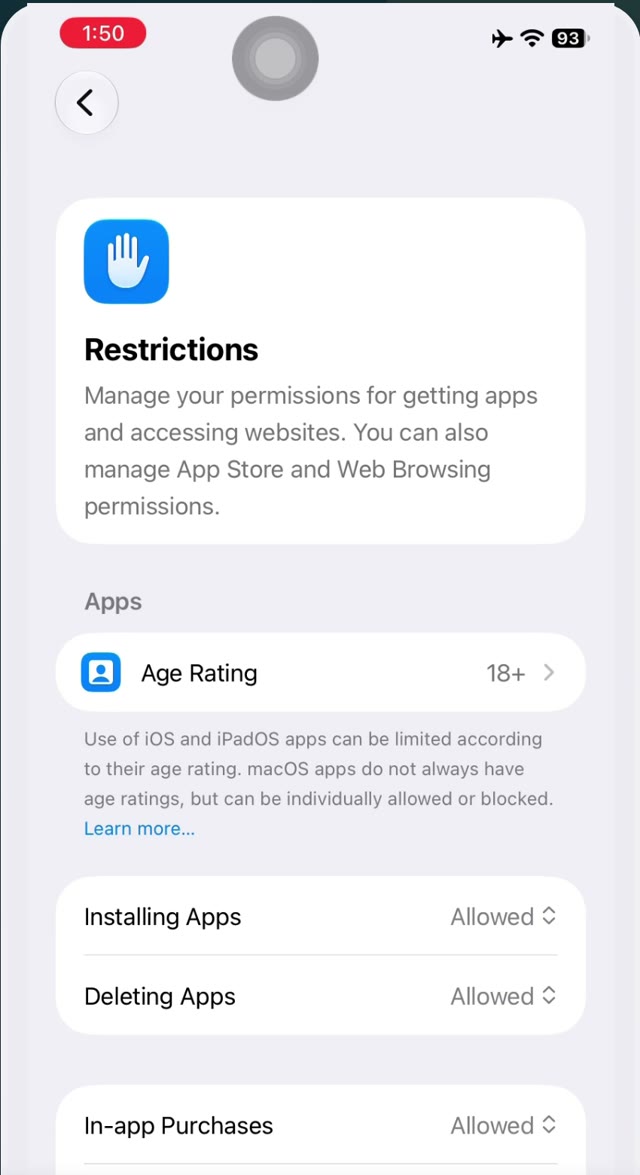
Actual pages from the guide
See what you are buying
This is not a collection of vague safety reminders. It gives you concrete preparation, real screens and words your family can use under pressure.
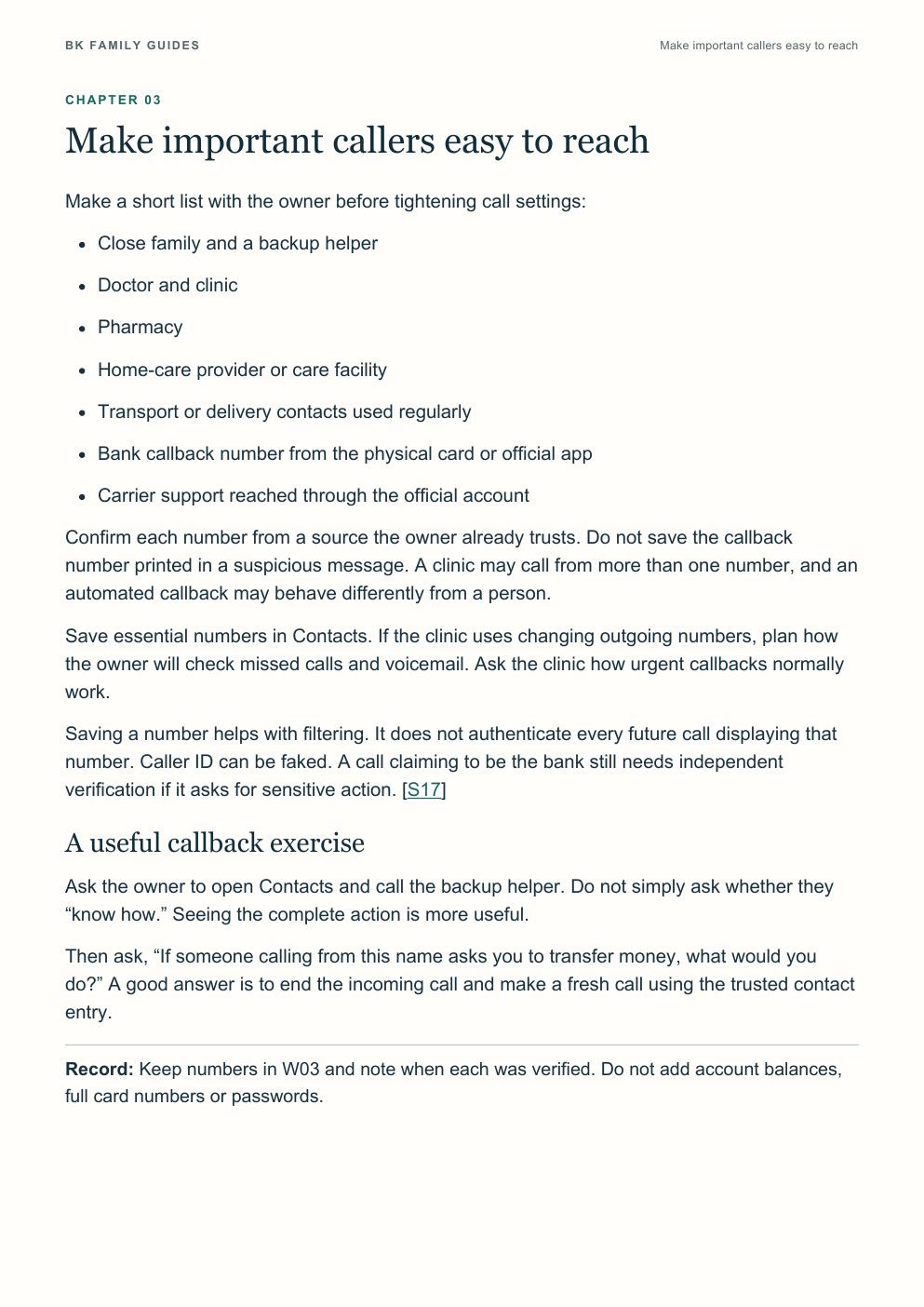
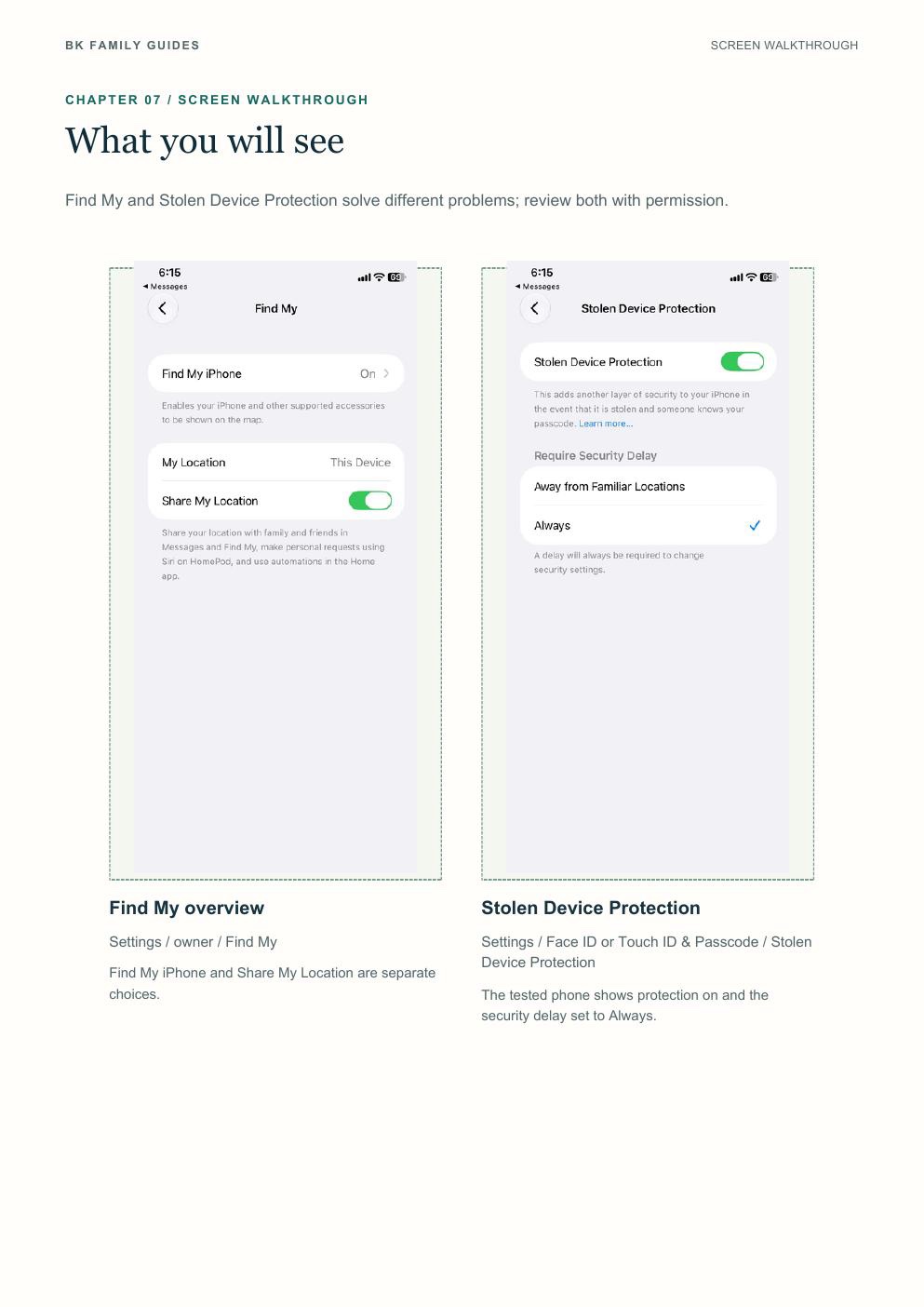
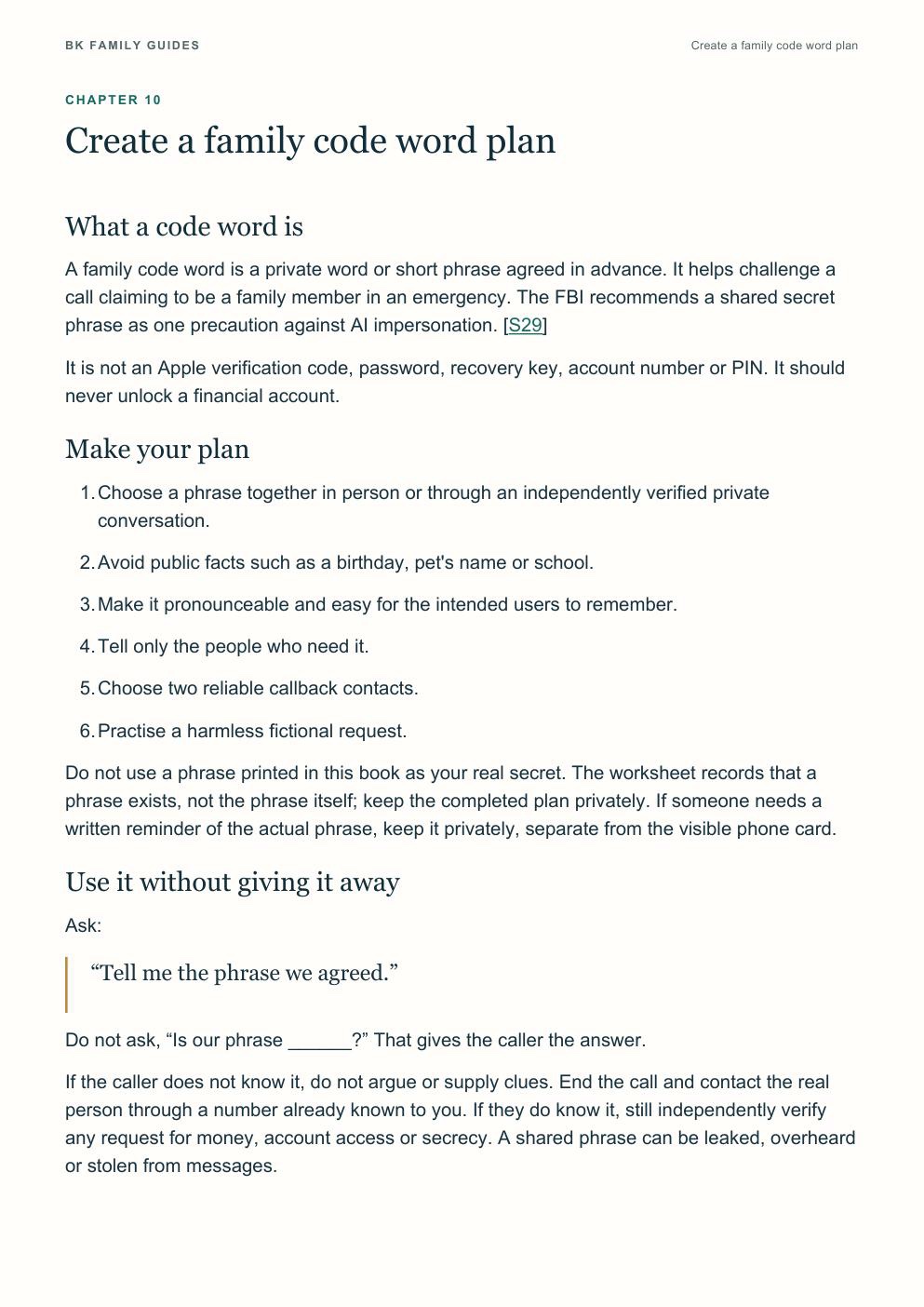
Select any page to view it at full size.
What you get
Everything in one download
One ZIP with four folders, in the order you'll use them. Open it on a computer, tablet or phone, then follow the START-HERE note.
-
1
Ask first
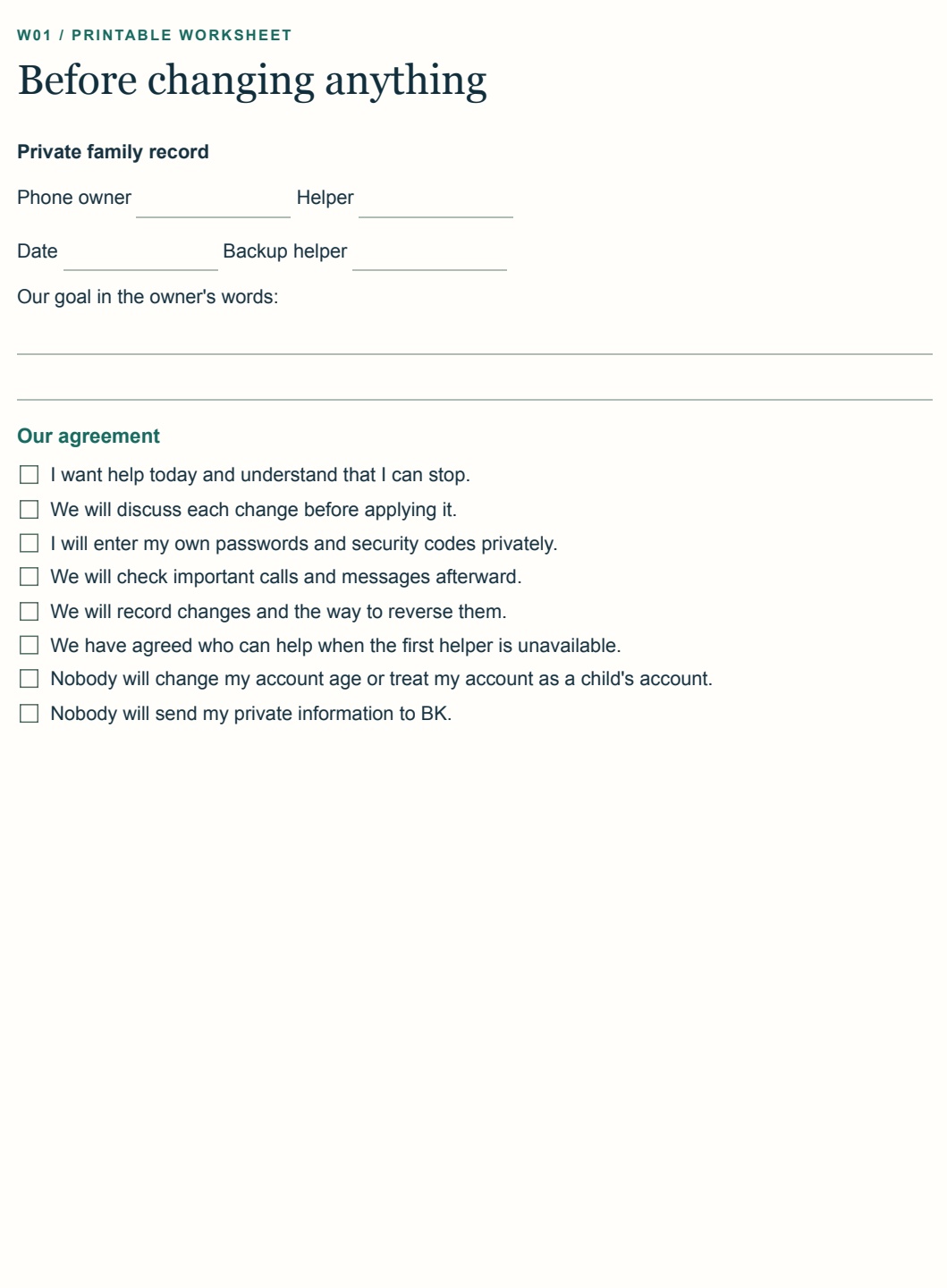
Before anything changes, you and your parent tick through a short written agreement together, so nobody feels taken over.
- Consent checklist: a printable agreement covering permission to help, explaining each change, keeping passwords private and checking important calls and messages afterwards.
You'll have: clear ground rules, with the goal written in your parent's own words.
-
2
Set up the phone
Follow real iPhone screens: where to start, what to tap, what you should see afterwards and what each setting may block.
- 51-page illustrated guide: the complete step-by-step setup, as a PDF.
- 7 narrated, captioned videos: about a minute each, to follow while you tap:
- Check iOS and iCloud backup
- Safer unknown calls
- Screen unfamiliar messages
- Add a recovery contact
- Find My and Stolen Device Protection
- App installation restrictions
- Safari and impersonation protection
You'll have: a phone set up together, with links to official Apple, FTC and FBI guidance.
-
3
Agree the family routine
Settings can't catch everything, so your parent also gets something simple to follow in the moment.
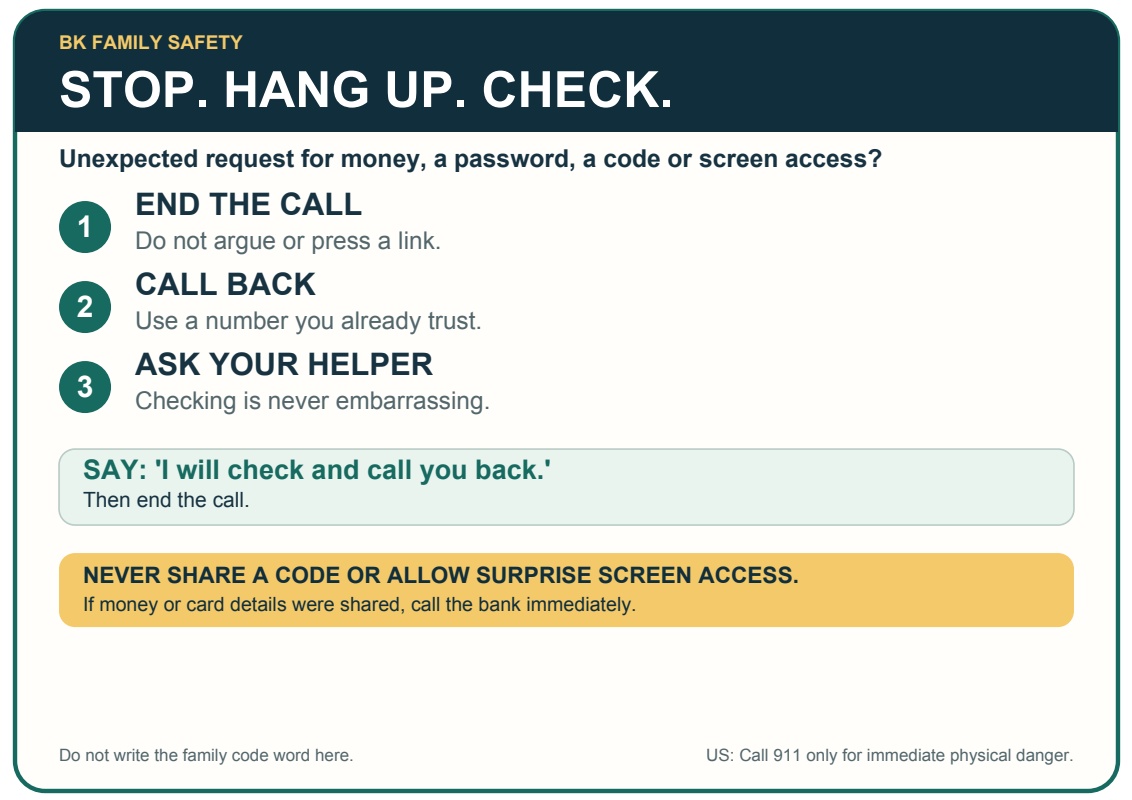
- Phone safety card: a large-print card that says STOP. HANG UP. CHECK., with three steps and the exact words to say. Two print on one sheet, ready to cut out.
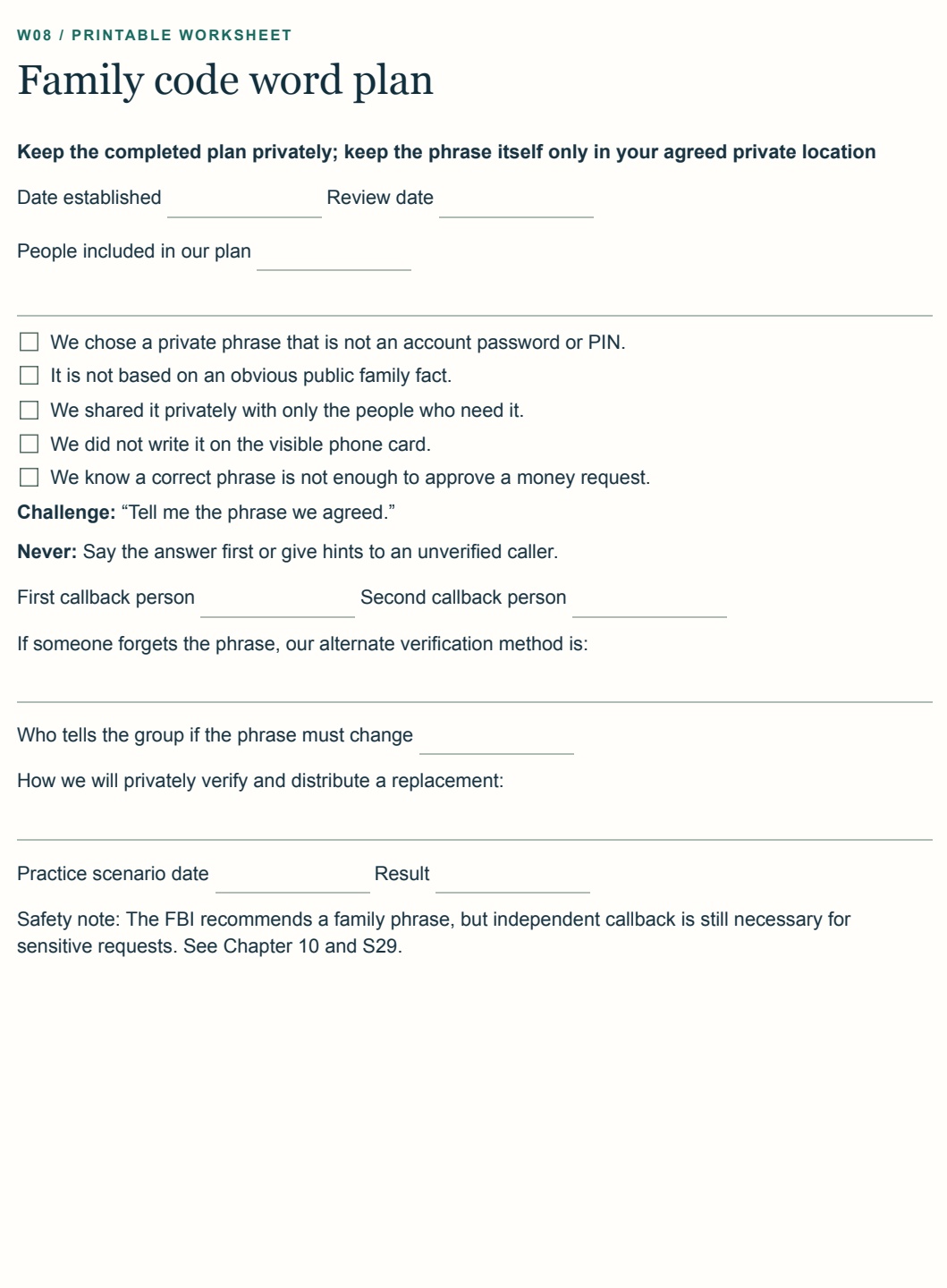
- Family code-word plan: tick through how to choose a private phrase, who knows it and what to do if someone forgets it.
- Verification scripts: plain words for a suspicious call or message, inside the guide.
You'll have: a calm, shared way to check anything that feels wrong.
-
4
Be ready, and stay ready
If a scam ever gets through, you won't be working out what to do under pressure.
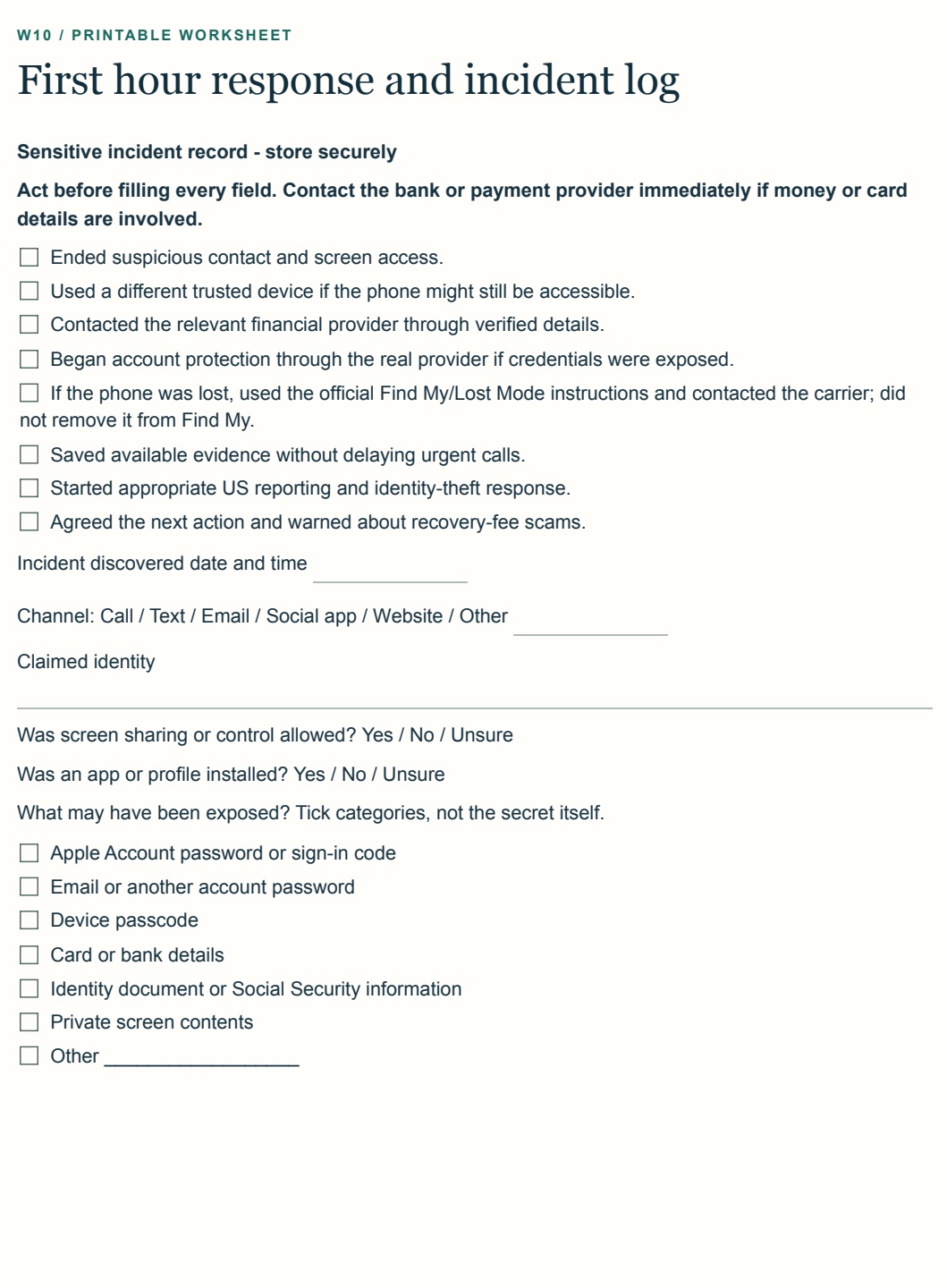
- First-hour checklist: what to do, in order, plus a log to record what happened.
- Monthly 10-minute check-in: ten minutes split into two-minute blocks, to keep the setup working.
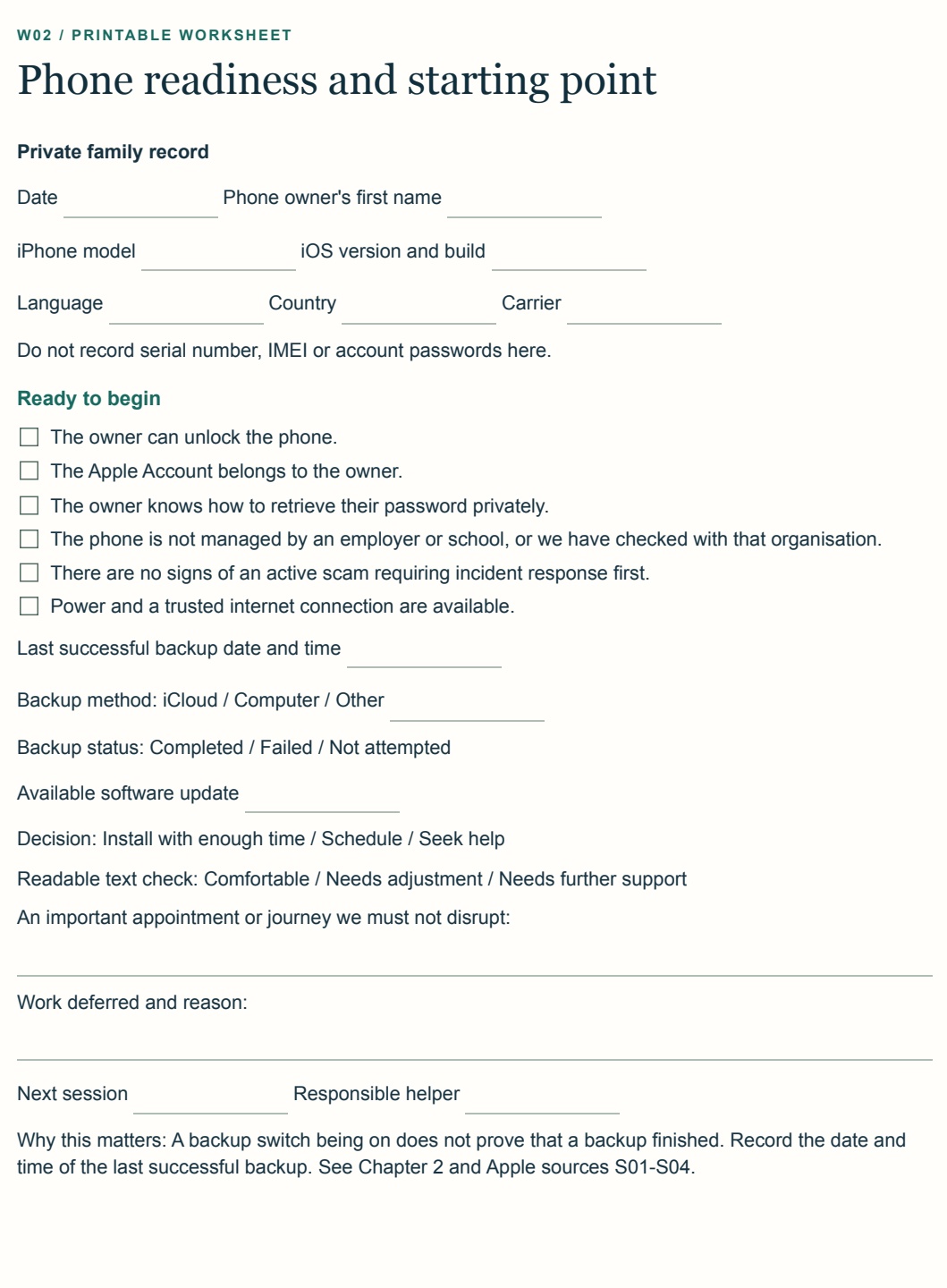
- Printable workbook: 18 pages for planning and recording your decisions together.
You'll have: a plan for the worst hour and a habit that keeps the setup fresh.
What to expect
- About one afternoonDo it together at your own pace, with your parent's permission.
- Opens anywherePDFs and MP4 videos. No app and no account.
- 1 year of free updatesNew and improved material is included for your first year.
- For your own familyPersonal use for your household or care circle. Not for resale or sharing.
Watch a demo
See how it works
A short demo of the step-by-step videos that come with the guide.
What this is not
No guide can make a phone scam-proof. These settings reduce exposure and make checking easier, but they don't stop every call or message, and they don't replace your own judgment.
This bundle is not official Apple material and is not endorsed by Apple, the FTC, the FBI or any bank or carrier. It isn't legal or financial advice, and it doesn't replace your bank, carrier, Apple Support or emergency services.
Who it's for
- Adult children, relatives and caregivers helping a parent with an iPhone
- Older iPhone users who want to do the setup themselves
- Siblings or couples building a shared family routine
What readers say
Families who have used it
This guide is really helpful. My parents are also loving it.
This is really a good guide. My mom loves the printed card on the fridge.
Great guide for my parents. I went to their house and within 1 hour it was all set, and they also loved it.
Easy to follow. Videos are really helpful.
Totally worth the $49. My parents also loved it and I found it interesting as well.
Questions
Before you buy
Do I have to create an account?
No. There is no account, no sign-up form and no login. You go straight to checkout and download your files when you pay.
Do I need to be good with technology?
No. Every step is written in short, plain sentences. It tells you where to start, what to tap and what you should see afterwards.
How do I protect an elderly parent from phone scams on an iPhone?
Start with call and message filtering, secure account recovery, app-installation boundaries and browser protections. Then agree on a family verification routine. The bundle walks you through those settings and adds a code-word plan, verification scripts and a printable phone safety card.
Is this an iPhone setup guide for seniors?
Yes. It is written in plain language for older iPhone users and the family members or caregivers helping them. It uses real screens, exact setting paths and short walkthrough videos.
Will it work on my parent's iPhone?
Yes. The steps are written for iPhones, in plain language, with real screens to match against. If a setting is worded a little differently on your phone, the guide shows you what to look for.
Can I block all scam calls and texts on my parent's iPhone?
No setup blocks every scam. iPhone call and message filters can reduce unfamiliar contact, while a callback routine and family code word help your parent check anything that still gets through.
What if my parent doesn't want their phone changed?
Then don't change it. The consent checklist is there to help you start that conversation and agree what feels right to them.
What format is it, and how do I get it?
You pay once through secure checkout, then download a single ZIP: the guide and printables as PDFs, plus the videos. Delivery is automatic.
Is there a subscription?
No. The price is a one-time $39 payment. Download the bundle once and keep the files for life.
Do I get updates?
Yes. Updates are free for your first year.
Can I get a refund?
No. Because the bundle is a digital download delivered to you the moment you pay, it can't be returned, so all sales are final. Please use the preview pages and the demo video above, and read the "What this is not" section, before you buy.
Does it cover reporting a scam?
It includes a first-hour checklist and links to official US guidance from the FTC and FBI. Reporting steps outside the US differ, so check your local authorities.
Protect the moments when pressure is highest
Set it up together this weekend
Get the 51-page illustrated guide, all 7 walkthrough videos, safety cards, scripts, checklists and worksheets in one complete download.
Limited offer · Save 34%
Pay once. Keep it for life.
No subscription and no account to manage.
Secure checkout by Dodo Payments · Instant download
Includes 1 year of free updates